

Views: 0 Author: Site Editor Publish Time: 2026-08-11 Origin: Site


A common source of confusion in network infrastructure is whether deploying power delivery systems requires proprietary cabling. Marketing materials often suggest that special cables are necessary to transmit power alongside data. This creates unnecessary complexity for network engineers and home lab enthusiasts. The reality is grounded in standard physics and established network specifications. Deploying incorrect cabling for these systems introduces severe operational risks. While proprietary cables are not required, using sub-standard or incorrect category cabling leads to measurable voltage drop. This causes intermittent device failure. In high-power deployments, inadequate cabling generates excessive heat, creating potential fire hazards. Proper material selection mitigates these risks entirely. This guide provides an evidence-based framework for evaluating standard network cables for power delivery applications. We will examine material composition, IEEE standards, and thermal management. You will learn how to select the correct infrastructure for both enterprise and smart home environments without falling for marketing noise.
Network infrastructure must achieve two specific goals to successfully support power delivery. It must provide simultaneous data transmission and DC power delivery. It must accomplish this without signal degradation or dangerous heat generation. A standard twisted pair cable meets these success criteria when manufactured to proper specifications. When you pull cable through a drop ceiling or run it through conduit, the physical copper pairs inside are doing double duty. They carry high-frequency data signals while simultaneously carrying a steady DC voltage.
The physics behind this are straightforward. The power is injected onto the copper pairs as a common-mode voltage. Because the data signals are transmitted differentially across the twisted pairs, the DC power does not interfere with the data payload. This means the cable itself does not need any special internal separation or proprietary shielding just to carry power. It simply needs enough physical copper mass to handle the electrical current without overheating.
Standard Ethernet cables handle power delivery by default. Categories like Cat5e, Cat6, and Cat6a are engineered for this purpose, provided they meet TIA/EIA standards. The physical copper pairs inside transmit both the data packets and the electrical current simultaneously. You do not need a separate wire for power. The concept of a special Power over Ethernet Cable is largely a myth propagated by aggressive marketing.
Cables marketed specifically for this purpose usually feature thicker outer jackets. They might carry specific thermal ratings or weatherproofing for outdoor use. They do not utilize novel transmission technology. You are simply buying a well-constructed standard network cable. When you see a box of cable labeled specifically for power delivery, check the spec sheet. You will almost always find it is just a standard Cat6 or Cat6a cable that happens to have a 100% solid copper core and perhaps a slightly higher temperature rating on the PVC or plenum jacket.
| Feature | Standard Ethernet Cable (Cat6) | Marketed "PoE Cable" | Actual Impact on Performance |
|---|---|---|---|
| Conductor Material | Solid Bare Copper | Solid Bare Copper | Identical. Both handle DC power perfectly. |
| Wire Gauge | 23 AWG | 23 AWG or 22 AWG | Thicker gauge (lower AWG) reduces heat. |
| Jacket Rating | Standard PVC / Plenum | Often LP (Limited Power) rated | LP rating helps in massive cable bundles. |
| Transmission Tech | Differential Signaling | Differential Signaling | No difference. Physics remain the same. |
Network power delivery typically operates between 44V and 57V DC. This low-voltage classification changes how infrastructure is deployed. Traditional electrical infrastructure requires heavy conduit, strict building codes, and licensed professionals. If you want to mount a security camera on a warehouse ceiling using traditional power, you have to run high-voltage lines. This involves bending conduit, pulling heavy-gauge wire, and installing a dedicated outlet near the camera location.
Deploying low-voltage network cables offers immense logistical advantages. You avoid hiring licensed electricians to drop a new 240V power cable for endpoint devices. Devices like PTZ cameras, access control panels, and wireless access points can be installed rapidly. A single technician can pull a Cat6 run from the telecom room directly to the device location. This approach reduces compliance overhead and accelerates project timelines. It also centralizes your power backup. By putting your network switch on an Uninterruptible Power Supply (UPS), every device connected to that switch stays online during a power outage.
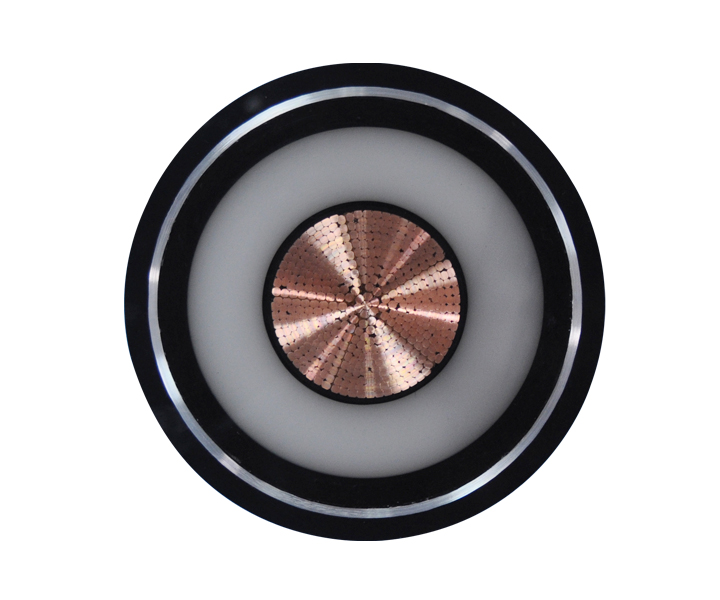
Selecting the right cable requires understanding physical specifications. The materials and construction directly impact how well the cable handles electrical current. Poor specifications lead to network degradation. When you are standing in a server room troubleshooting a wireless access point that keeps rebooting, the issue is rarely the switch or the access point itself. The issue is usually the physical layer connecting them.
Solid bare copper is the only acceptable standard for bulk network runs. Pure copper provides minimal electrical resistance. This allows the current to travel long distances without significant power loss. It ensures the endpoint device receives the required wattage. When you terminate a solid copper cable into a patch panel, the metal contacts bite cleanly into the copper, creating a cold weld that will last for decades.
Copper Clad Aluminum (CCA) cables are dangerous for power delivery. Aluminum has significantly higher DC resistance than copper. This higher resistance causes severe voltage drop over distance. The lost energy converts into heat. This violates IEEE standards and creates legitimate fire hazards inside walls. CCA cables are often sold cheaply online, but they are a massive liability. When you bend CCA cable, the aluminum core is brittle and can snap inside the jacket. When you push 60 watts of power through a CCA cable, the aluminum heats up rapidly. Never install CCA cable in any professional or serious home lab environment.
Solid copper is used for in-wall, long-distance infrastructure runs. The solid core provides excellent conductivity but lacks flexibility. If you bend solid copper back and forth repeatedly, it will break. Stranded copper is used for short patch cables. These connect switches to patch panels and require flexibility to route through racks. A stranded conductor is made of many tiny copper wires twisted together.
Stranded copper has roughly 20% higher DC attenuation than solid copper. The gaps between the strands increase electrical resistance. You must keep stranded patch cables under 10 meters. Exceeding this length compounds voltage drop and starves the endpoint device of power. When designing a cable run, follow these rules for stranded cable:
American Wire Gauge (AWG) uses an inverse relationship. A lower AWG number means a thicker copper conductor. Thicker conductors offer less electrical resistance. Less resistance means less heat generation during power transmission. Think of it like a water pipe. A wider pipe allows more water to flow with less friction. A thicker copper wire allows more electrons to flow with less resistance.
Typical Cat5e cable uses 24 AWG conductors. Typical Cat6 and Cat6a cables use 23 AWG conductors. The larger diameter of 23 AWG reduces resistance. It effectively manages the thermal load generated by high-wattage endpoint devices. This makes lower AWG cables superior for modern network deployments. Some specialized cables even use 22 AWG conductors for extreme power delivery scenarios, though 23 AWG is the standard for enterprise deployments.
| AWG Size | Typical Cable Category | Conductor Diameter (mm) | Resistance (Ohms/100m) | Suitability for High Power |
|---|---|---|---|---|
| 24 AWG | Cat5e | 0.511 | ~8.42 | Acceptable for low power (<30W) |
| 23 AWG | Cat6 / Cat6a | 0.573 | ~6.68 | Excellent for high power (up to 100W) |
| 22 AWG | Specialty Cat6a | 0.644 | ~5.30 | Maximum thermal performance |
Unshielded Twisted Pair (UTP) is standard for most indoor office deployments. It is flexible, easy to terminate, and perfectly adequate for standard environments. Shielded Twisted Pair (STP) includes metallic foil around the copper pairs. This shielding primarily protects against Electromagnetic Interference (EMI) in industrial settings. If you are running cable near heavy machinery or large fluorescent light ballasts, STP prevents data corruption.
Metallic shielding in STP also aids in heat dissipation. The metal foil acts as a minor heatsink across the cable run. This provides a marginal thermal advantage in high-density deployments where many cables are bundled tightly together. The heat transfers from the copper conductors to the foil shield, which then dissipates it along the length of the cable. However, STP requires careful grounding. If you do not ground the shield properly at the patch panel, it acts as an antenna and actually introduces noise into your network.
Network standards dictate the power budgets required for different devices. Matching the cable category to the IEEE standard ensures safe and reliable operation. Over-provisioning is safe; under-provisioning causes failures. When you plan a network deployment, you must look at the data sheets for your endpoint devices. Find their maximum power draw and match your infrastructure accordingly.
| IEEE Standard | Common Name | Max Power Delivered | Recommended Cable | Typical Devices |
|---|---|---|---|---|
| 802.3af | PoE | 12.95W | Cat5e | Basic IP cameras, VoIP phones |
| 802.3at | PoE+ | 25.5W | Cat5e / Cat6 | PTZ cameras, Alarm panels |
| 802.3bt (Type 3) | PoE++ | 51W | Cat6 / Cat6a | Video phones, Multi-radio WAPs |
| 802.3bt (Type 4) | PoE++ | 71W+ | Cat6a | Digital signage, LED lighting |
The original 802.3af standard provides a power budget of 15.4W at the switch. Due to expected voltage drop over the cable run, the device is guaranteed to receive 12.95W. The 802.3at standard increases this to 30W at the switch, delivering 25.5W to the device. These lower-tier standards power basic VoIP phones, home network Wi-Fi routers, and standard IP cameras.
High-quality Cat5e is generally sufficient for these applications. The 24 AWG conductors can handle the current without excessive heat generation. As long as the cable is solid bare copper, Cat5e will reliably support these foundational standards. Many older buildings are already wired with Cat5e. If the cable plant tests well and passes certification, you can usually run 802.3at devices over it without pulling new wire.
The 802.3bt standards push significantly more power. Type 3 provides up to 60W, while Type 4 pushes up to 90W or 100W from the switch. This massive increase in power delivery requires robust physical infrastructure. These standards utilize all four pairs of wire in the cable to transmit power, whereas older standards only used two pairs.
Cat6 or Cat6a is strictly recommended for these high-power applications. Pushing 90W through all four pairs requires superior thermal management. The thicker 23 AWG conductors of Category 6+ cabling safely dissipate the heat generated by these heavy electrical loads. If you attempt to push 90W through a large bundle of Cat5e cables, the cables in the center of the bundle will overheat. This degrades the data signal and can melt the cable jackets.
Proper cable selection is only half the battle. Installation practices dictate the long-term reliability of the network. Ignoring physical limitations leads to immediate performance issues and long-term degradation. A sloppy installation will ruin the performance of even the highest-quality cable.
Standard Ethernet has a hard transmission limit of 100 meters (328 feet). This limit applies to data integrity, but it also impacts power delivery. DC resistance over long runs reduces the actual power delivered to the endpoint. The longer the cable, the more resistance the electrical current encounters.
A switch might inject 30W, but the device at 100 meters might only receive 25W. Thicker cables mitigate this drop. Using Cat6a for long runs ensures maximum power reaches the device. Never exceed the 100-meter limit without powered extenders. If you have a camera located 150 meters away across a parking lot, you cannot just run a continuous copper cable. You must use a mid-span injector, a powered extender, or switch to fiber optic cable with local power at the camera site.
Many installers buy 1000ft bulk drums and field-terminate the ends with RJ45 plugs. This practice introduces significant risk. Poorly crimped RJ45 connectors on solid wire create high-resistance connection points. These points generate heat and can fail under heavy electrical loads. Solid copper wire is round and smooth. When you crimp a standard RJ45 plug onto it, the metal prongs inside the plug often slide off the side of the solid wire instead of piercing it cleanly.
Terminate bulk solid cable into punch-down keystone jacks. Use pre-terminated stranded patch cables for the final connection to the device. This approach ensures a secure, arc-free connection. It provides mechanical stability and reliable power transfer. When you use a punch-down tool on a keystone jack, the V-shaped metal contacts slice through the wire insulation and grip the solid copper core tightly. This creates a gas-tight seal that will not degrade over time.
Heat accumulation is a major danger when dozens of cables are tightly bundled in enterprise cable trays. The cables in the center of the bundle cannot dissipate heat. They are insulated by the surrounding cables. This is less of a concern for small home networks but critical for large installations where hundreds of cables converge in a single server room.
Look for Limited Power (LP) certification on the cable jacket. Checking the temperature rating (e.g., 75°C or 90°C) is critical for large-scale deployments. LP-rated cables are independently tested to handle high power loads without exceeding their temperature ratings, even in massive bundles. If you must bundle cables, keep the bundles small. Limit bundles to 24 cables or fewer. Do not use zip ties to secure the bundles, as they can crush the cable jackets and alter the geometry of the twisted pairs. Use hook-and-loop straps instead.
RJ45 connectors do not need to be wired differently for power delivery. Standard T568A or T568B pinouts apply. The switch automatically injects power over the standard data pairs or spare pairs based on the IEEE standard. You do not have to learn a new wiring scheme. Just maintain consistency across your entire network.
Electrical arcing is a risk when unplugging live devices. As the contacts separate, the current arcs, causing microscopic pitting on the gold contacts. Over time, this pitting destroys the connector. Use connectors with 50-micron gold plating. These are rated for high mating cycles and resist degradation from electrical arcing. If you frequently plug and unplug devices, consider disabling the port power on the switch interface before physically disconnecting the cable.
Network infrastructure is a long-term investment. Cutting corners on physical cabling creates technical debt. Evaluating the trade-offs ensures you build a reliable and scalable network. The physical cable plant is the hardest part of a network to upgrade. You can swap out a switch in ten minutes. Replacing the cable inside your walls takes weeks of labor.
Cat6a is more expensive than Cat5e. The upfront material costs can seem daunting for large projects. However, saving money on thinner, lower-category cable often results in higher operational costs later. When you install cheap cable, you spend hours chasing ghost problems. A camera drops offline randomly. A wireless access point reboots during peak usage hours. These issues are incredibly difficult to diagnose because they look like hardware failures, but they are actually physical layer power delivery failures.
Substandard cable leads to troubleshooting intermittent power failures. It requires replacing degraded infrastructure. The labor cost to rip and replace bad cable far exceeds the initial savings. Invest in high-quality solid copper upfront. Buy cable from reputable manufacturers who provide detailed specification sheets and independent testing certifications.
Enterprise and smart home technology is evolving rapidly. Devices like smart lighting, digital signage, and heavy-draw IoT sensors require increasing amounts of power. We are seeing entire office lighting systems powered entirely by network switches. High-definition video distribution systems now rely on network infrastructure instead of dedicated HDMI runs.
Over-provisioning cable infrastructure today prevents costly rip-and-replace scenarios tomorrow. Standardizing on Cat6a provides a robust foundation. It ensures your network can handle future high-wattage demands without requiring a complete physical overhaul. If you are opening up walls or pulling cable through difficult conduit paths, always pull the highest category cable you can manage. The extra copper mass will serve you well when you upgrade your endpoint devices five years from now.
Power delivery over network infrastructure does not require a proprietary special cable. It absolutely requires high-quality, solid copper cabling. You must match the correct Category and AWG to the intended power load to ensure safety and reliability. For loads under 30W, solid copper Cat5e is acceptable. For loads exceeding 30W, solid copper Cat6 or Cat6a is mandatory. For bundled enterprise runs, always look for LP-rated cables with high-temperature jackets to prevent thermal degradation.
A: Technically yes for basic 802.3af, but it is highly discouraged due to thin conductors and heat risk. Cat5e is the absolute minimum modern standard. Older Cat5 cables often lack the structural integrity to handle continuous DC power safely.
A: No. Standard T568A or T568B wiring schemes are used. The switch automatically injects power over the standard data or spare pairs. You do not need to alter your termination practices to enable power delivery.
A: No. CCA has high DC resistance, causing severe voltage drop and excessive heat generation. This can lead to network failure, melted cable jackets, or fire. Always use 100% solid bare copper for power delivery applications.
A: Yes, but only for short distances. Stranded copper has higher resistance than solid copper. Keep stranded patch cables under 10 meters to prevent significant voltage drop and ensure the endpoint device receives adequate power.
A: Nothing bad will happen. Modern switches use active negotiation. They send a low-voltage test signal to check if the connected device requires power. If the device does not ask for power, the switch only sends data.
 简体中文
简体中文 

